Mastodon Feed
Reblogged by lloydmeta ("Lloyd"):
b0rk@jvns.ca ("Julia Evans") wrote:
PATH
permalink: https://wizardzines.com/comics/path/
Attachments:
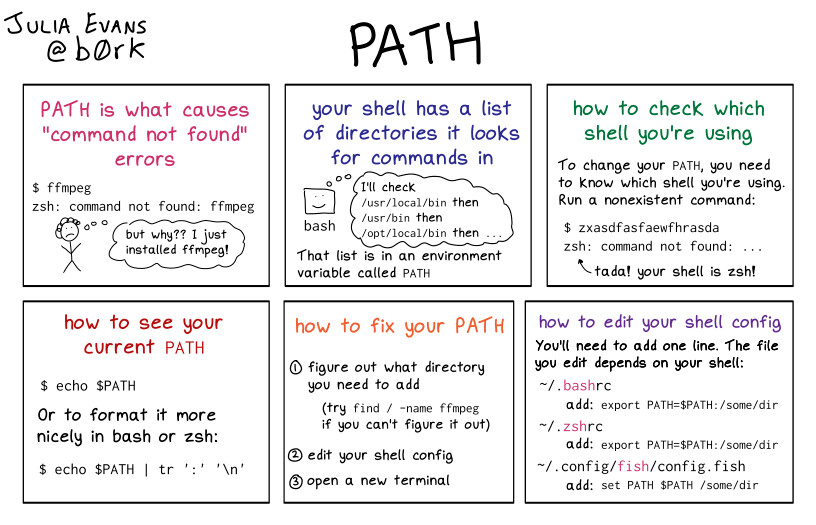
- A comic with the title “PATH”. panel 1: PATH is what causes "command not found" errors ``` $ ffmpeg zsh: command not found: ffmpeg ``` sad person (thinking): "but why?? I just installed ffmpeg!" panel 2: your shell has a list of directories it looks for commands in bash (thinking): "I'll check `/usr/local/bin` then `/usr/bin` then `/opt/local/bin` then ..." That list is in an environment variable called `PATH` panel 3: how to check which shell you're using To change your `PATH`, you need to know which shell you're using. To check, run a nonexistent command: ``` $ zxasdfasfaewfhrasda zsh: command not found: ... ``` tada! your shell is zsh! panel 4: how to see your current PATH ``` $ echo $PATH ``` Or to format it more nicely in bash or zsh: ``` $ echo $PATH | tr ':' '\n' ``` panel 5: how to fix your PATH 1. figure out what directory you need to add (try `find / -name ffmpeg` if you can't figure it out) 2. edit your shell config 3. open a new terminal (very important!) panel 6: how to edit your shell config You'll need to add one line. The file you edit depends on your shell: for bash: add `export PATH=$PATH:/some/dir` to `~/.bashrc` for zsh: add `export PATH=$PATH:/some/dir` to `~/.zshrc` for fish: add `set PATH $PATH /some/dir` to `~/.config/fish/config.fish` (remote)